Side Project: YouTube RSS Feed Grabber
2026-09-30
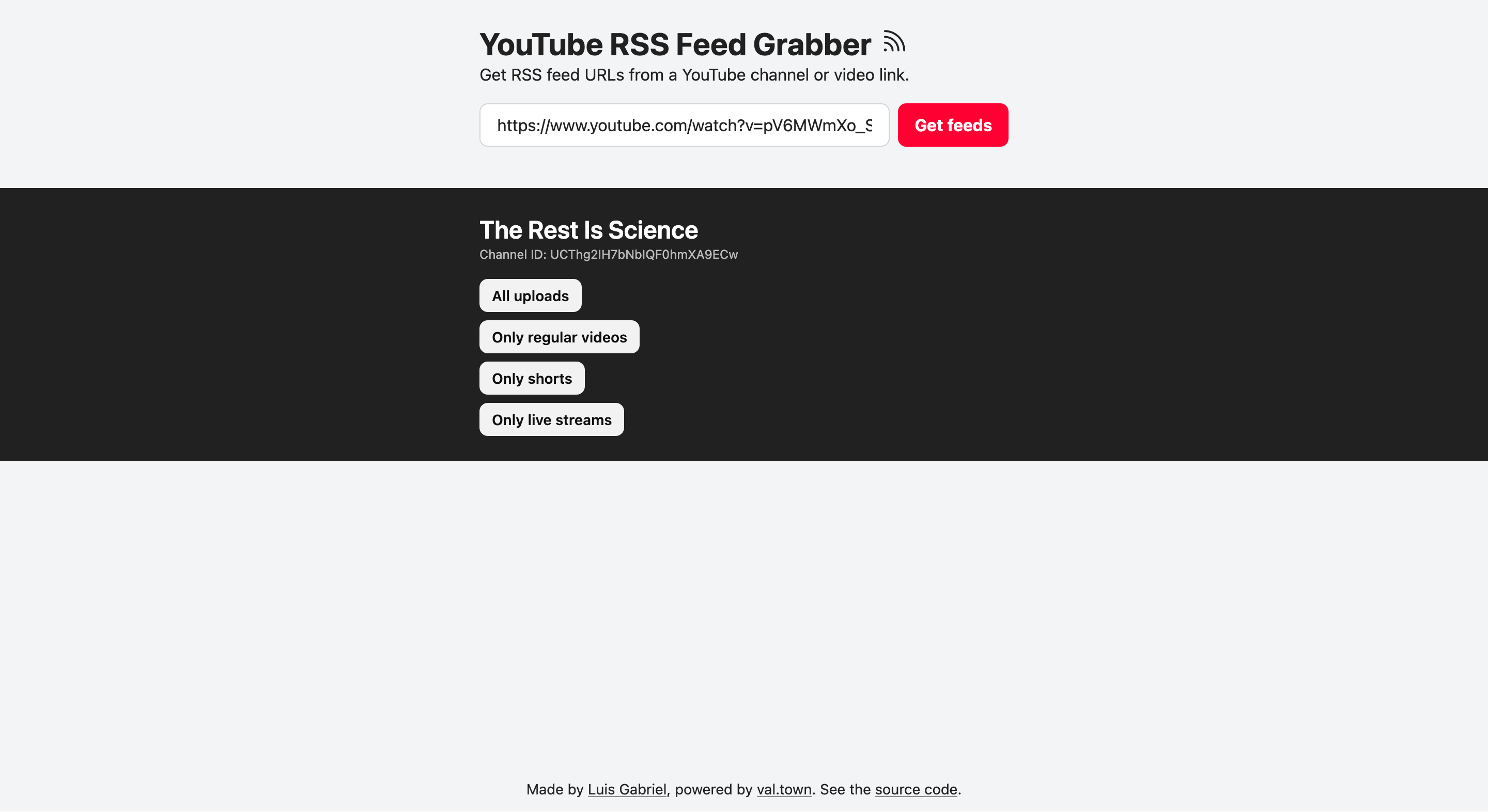 Every YouTube channel has an RSS feed URL with all their posts. That’s very useful for keeping up with the channels I want to get notified about whenever they post a new video.
So far, I’ve added 3 channels to NetNewsWire. But I’m faced with two issues:
- Getting the channel URL is cumbersome, especially on my phone;
- I don’t care about shorts, only regular videos.
To solve these two problems I created a YouTube RSS feed grabber. I’m sure there are some options already available online, but it seemed like a good opportunity to also experiment with Val Town.
The final product is super simple: you input a channel or video URL, and the interface will give you four feeds:
- only live streams
- only shorts
- only regular videos
- all of the above
You can try it at: yt-rss.luisgabriel.online
How I’ve built it
I knew I wanted to try Val Town more, so that paper cut was the perfect excuse. Val Town is a hosting company focused on fast (~100ms) deploys of simple container apps (known as vals). They also provide useful primitives for every val, like a SQLite database, Blob Storage and email sending. (More about them)
Vals can have an HTML or JSX frontend, be triggered via email, webhooks or cron jobs. I see them as a good fit for hosting simple sites and automations, especially ones that work as glue for different internal systems.
Also I follow the cofounders’ blogs, Tom and Steve, and they seem like cool people, and Val Town seems like a cool company, so that’s a bonus reason.
I used ChatGPT Codex to create this project. There’s an official Codex plugin; installing and authenticating it is very straightforward.
The main logic was done using 2 prompts:
@Val Town I want to build a val to link to youtube RSS feeds. The ideia is:
The webpage will have an input field, the user will paste a youtube channel url. The interface will list the 4 types of feeds: all, only videos, only shorts, only lives.
The first version will not have any styling at all, so we can focus exclusively on the logic and integration. We’ll keep the code simple too.
This is the RSS feeds youtube logic:
Let
CHANNEL_IDbe the complete channel ID, such asUCabc123.
- All uploads:
https://www.youtube.com/feeds/videos.xml?channel_id=CHANNEL_ID- Regular videos:
https://www.youtube.com/feeds/videos.xml?playlist_id=UULF + CHANNEL_ID_WITHOUT_UC- Shorts:
https://www.youtube.com/feeds/videos.xml?playlist_id=UUSH + CHANNEL_ID_WITHOUT_UC- Live streams:
https://www.youtube.com/feeds/videos.xml?playlist_id=UULV + CHANNEL_ID_WITHOUT_UCExample for channel ID
UCabc123:
- All uploads:
https://www.youtube.com/feeds/videos.xml?channel_id=UCabc123- Regular videos:
https://www.youtube.com/feeds/videos.xml?playlist_id=UULFabc123Remember, the user will paste the channel link, so we’ll need to get the channel id. We’ll not use any complex api. We’ll try to get the id using a simple get request.
Think of how to achieve this, split into smaller working slices and keep me in the loop for every slice. Let’s test in partes before building the whole thing.
This will be a new val, called: Youtube RSS feed grabber
See if we can make it work when pasting a video url. When that happens we want to list the feed for the channel that posted the video. Keep in mind there are video posted by multiple channels, such as https://youtu.be/GLvFTMtw4Jk?si=RBy_AJYBu4W01NEN
In that case the ideal scenario is to show all the channels feed
It worked without any issues.
Later, I styled the interface by hand in a single HTML file on my computer using only hardcoded mock values. After I was happy with my design, I pasted it into Codex and asked it to apply it to my val, wiring the necessary logic to the components. Only minor tweaks were needed after that.
Takeaways
I was quite happy with the result. I think this is vibe coding at its finest. A simple tool written specifically for me, the way that I wanted it.
I know how the YouTube RSS feed logic works, what’s possible and the gist of the code. But I wouldn’t be able to explain the codebase to someone else without studying it first. But for this type of project, I don’t want to.
Now I also have a better idea about Val Town. Using a coding agent to create a quick automation or website and have it working quickly without stressing too much about deployments or hosting is great.
I’m interested in trying this workflow more often, especially when taking advantage of their other features like the SQL database or HTTP triggers. Their recent focus on MCP servers is also on my mind.
Feel free to try my new side project, use it, modify it, send me ideas or feedback.